Image Search: Find Any Photo - Without Cloud
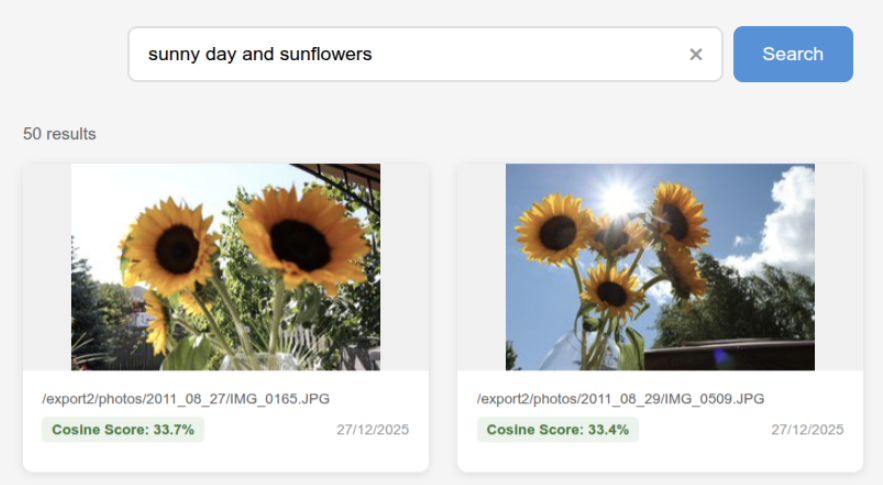
A personal photo organizer that lets you search your own pictures using everyday descriptions like "birthday party at grandma's house" or "beach sunset with the kids"
The 30-second version
- What it is: A personal photo organizer that lets you search your own pictures using everyday descriptions like "birthday party at grandma's house" or "beach sunset with the kids"
- What problem it solves: Finding specific photos in large collections without scrolling through thousands of files or uploading your personal memories to Google or Apple
- Who it's for: Anyone with a large photo library (100,000+ photos) who values privacy and wants smart organization without cloud subscriptions
- What you can do with it:
- Search photos using natural descriptions instead of filenames
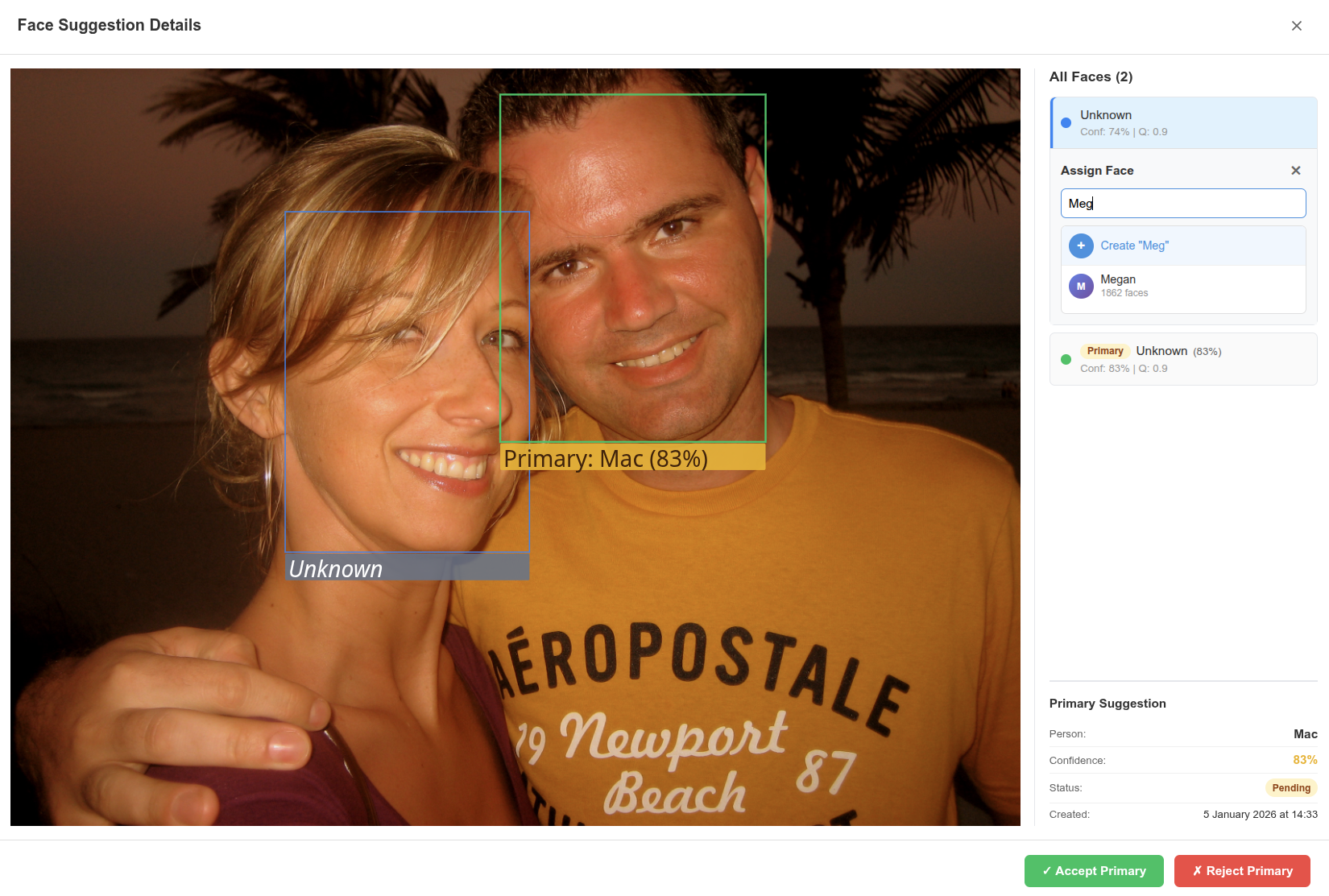
- Automatically identify and group faces across your entire collection
- Find all photos of a specific person with one click
- Organize decades of family photos with AI assistance
- Keep everything on your own computer—your photos never leave home
- Current status: Beta—fully functional for everyday use with ongoing improvements
GitHub projects:
image-search root monorepo
image-search-service
image-search-ui
The problem
Over the years, you've taken thousands of pictures—birthday parties, vacations, random Tuesdays that seemed important at the time. They're scattered across phone backups, old hard drives, and folders with names like IMG_2019 or New folder (3).
What's frustrating today:
- You remember a photo exists but have no way to find it
- Searching by date doesn't help when you can't remember when it happened
- Scrolling through thousands of thumbnails is tedious and time-consuming
- Tagging photos manually would take months
The cloud trade-off:
Services like Google Photos solve this beautifully—but your personal photos live on someone else's servers. For many people, that's a deal-breaker. Family photos, private moments, pictures of your kids—you might not want those analyzed by a tech company.
What people really want:
- "Find the photo of Mom at the beach"
- "Show me all photos of Grandpa"
- "Find pictures from our trip where everyone is smiling"
- Keep everything private, no subscription fees, no data sharing
- Be able to enhance the system!
What it does
Image Search turns your messy photo collection into a searchable, organized library:
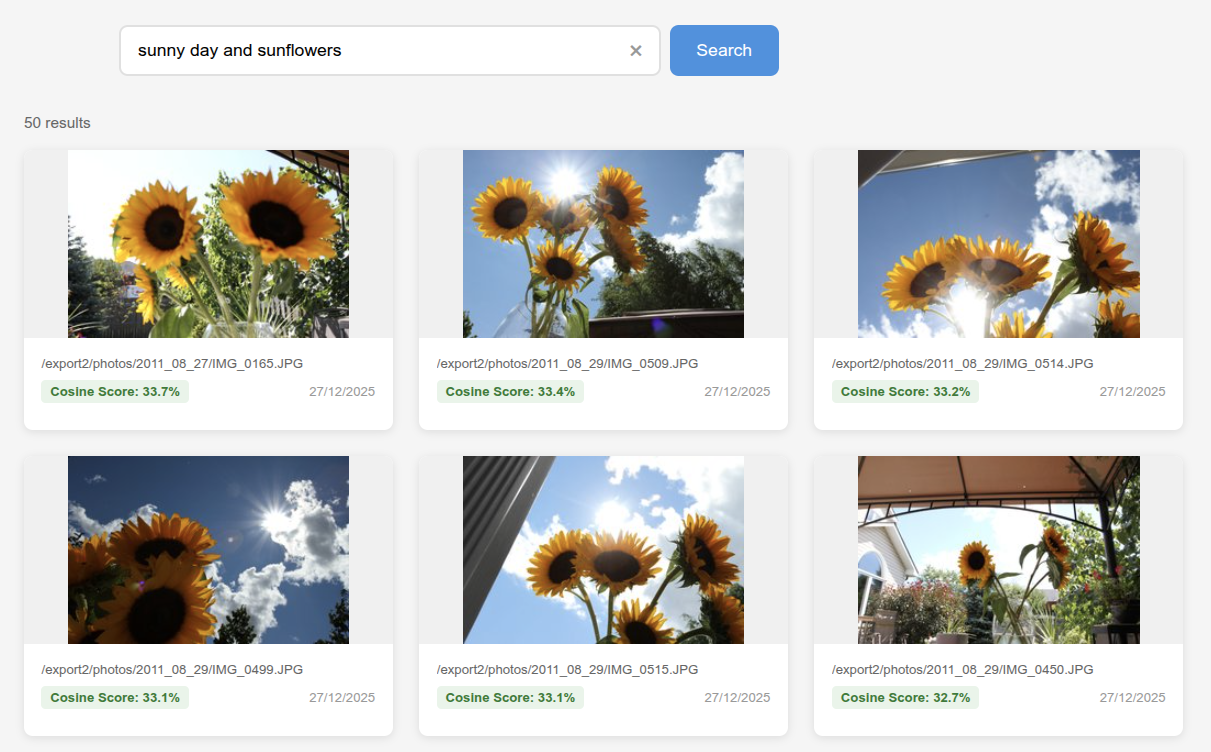
- Finds photos by description — Type "sunset over mountains" or "kids playing in snow" and instantly see matching photos from your collection
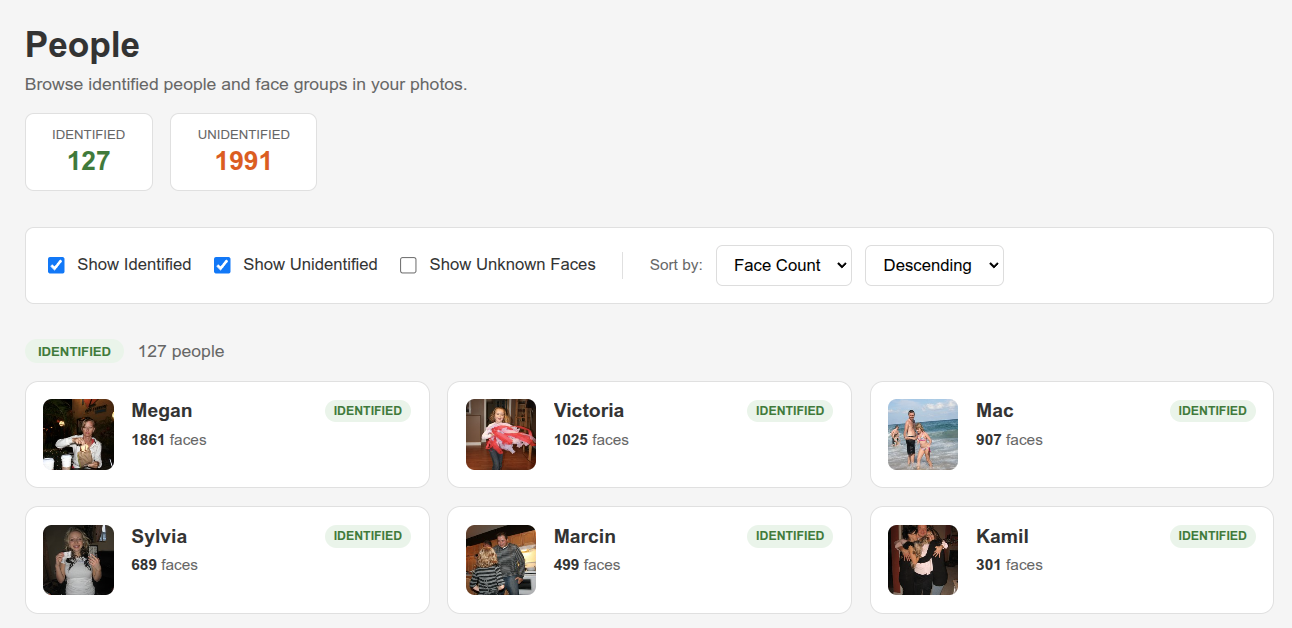
- Recognizes faces automatically — The system detects faces in your photos and groups them by person, even across different ages and lighting conditions
- Tracks people across decades — From baby photos to graduation pictures, it can match the same person across different life stages (infant, child, teen, adult, senior)
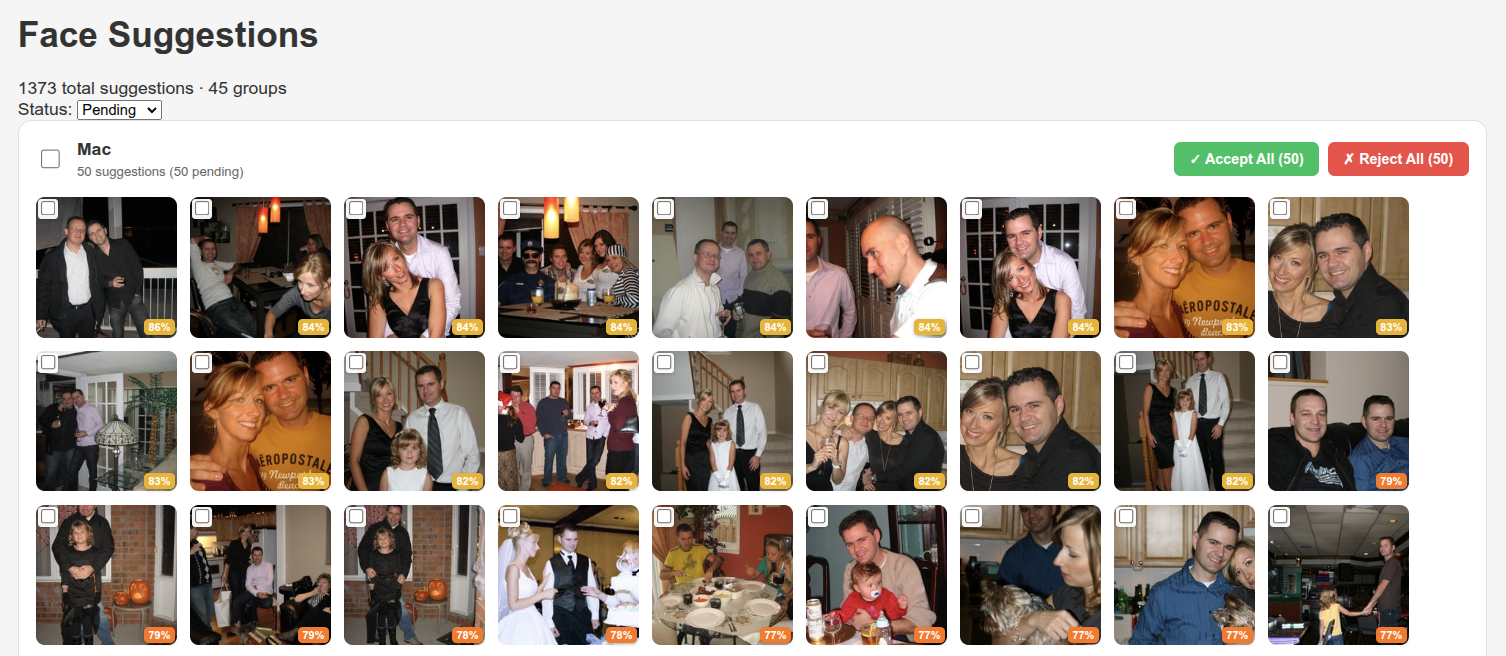
- Reduces tagging work by 90% — Label a few faces, and the system automatically finds similar faces across thousands of photos
- Groups unknown faces for quick review — Unidentified faces are clustered together so you can label 50 photos of "Uncle Bob" in one click instead of 50 individual clicks
- Searches in under a second — Even with tens of thousands of photos, results appear almost instantly
- Runs entirely on your computer — No cloud uploads, no subscriptions, no data sharing
- Works with existing photo folders — Point it at your existing photo directories; no need to reorganize anything
A quick example
Finding a specific memory
Situation: You want to find that photo of your daughter at her 5th birthday party, but you can't remember exactly when it was or where you saved it.
Before: Open folder after folder. Scroll through hundreds of thumbnails. Check dates. Give up after 20 minutes. Maybe it was 2018? Or 2019?
With Image Search: Type "birthday cake candles girl" in the search box. Within a second, see all photos matching that description. There it is, third result—the exact photo you remembered.
Organizing family photos
Situation: You've inherited 30 years of family photos from your parents. Thousands of pictures, barely any labeled, many faces you don't recognize.
Before: An overwhelming project. You'd need to look at every photo, remember who everyone is, and somehow organize them. Most people put this off indefinitely.
With Image Search: Import the photos. The system detects all faces and groups similar ones together. You label the first photo of Grandma, and it automatically tags hundreds of other photos of her. Unknown faces are grouped—one cluster might be "Aunt Helen from the 1990s." You can label entire clusters at once instead of photo by photo.
Combining search with people
Situation: You want all photos of your son at the beach—for a birthday slideshow.
Before: Find all beach photos. Then look through each one for your son. Hope you didn't miss any.
With Image Search: Search "beach ocean waves" and filter by your son's name. Get exactly what you need in seconds.
What's new/different about it
Privacy without sacrifice: Other AI photo tools require cloud uploads. This one brings the same intelligence to your local computer, without reaching to any external providers!
The "time tracking" problem solved: People change dramatically over decades. A person at age 5, 25, and 55 looks completely different. This system tracks individuals across six life stages, so your baby photos and graduation photos can be connected to the same person.
Bulk labeling that actually works: Instead of tagging photos one at a time, the system groups similar faces together. Label one face as "Mom" and it propagates to hundreds of similar faces automatically. Remaining unknowns are clustered for quick bulk labeling.
Natural language, not keywords: You don't need to remember specific tags or folder names. Describe what you're looking for in plain English—"red dress at restaurant" or "snowy mountain landscape"—and the system understands.
No ongoing costs: Run it on your own hardware. No monthly fees, no storage limits (beyond your own hard drive), no "you've exceeded your free tier" surprises.
What it does NOT do (yet)
- No mobile app — Currently runs as a web interface on your computer; phone apps are planned
- No authentication — Anyone on your network can access it (fine for home use, needs work for shared environments)
- No video support — Only works with photos (JPEG, PNG); video indexing is on the roadmap
- No cloud sync — Everything stays local; there's no way to access photos from outside your home network
- No duplicate detection — If you import the same photo twice, it appears twice (planned improvement)
- Age estimates are approximate — The system guesses age from faces (usually within 5 years), which isn't perfect
- Resource-intensive — Requires a reasonably powerful computer with 16GB RAM; won't run on older laptops
- Initial setup takes time — Processing 40,000 photos takes about one hour the first time (Linux + Cuda + GeForce RTX 4060 for reference); after that, searches are instant
Behind the scenes (the "how")
- Understands photos through AI embeddings — Each photo gets converted into a numerical "fingerprint" that captures what's in it (beach, sunset, people, food, etc.)
- Uses similar technology as ChatGPT — Built on OpenCLIP, a ML model that powers visual understanding in modern chatbots
- Face recognition with state-of-the-art models — InsightFace detects and recognizes faces, the same technology used in professional photo management
- Fast searching through specialized databases — Results in milliseconds because photos are stored in a way optimized for similarity matching
- Runs on your own hardware — Works on Mac (Apple Silicon - M3/M4 prefered) or Linux+GPU; no external services required once set up
- Processes photos in the background — Import continues while you use the app; no waiting for everything to finish
Where this is headed
Based on the current roadmap:
- Add user accounts and permissions — So multiple family members can use it without seeing everything
- Extract photo dates from metadata — Currently uses folder dates; extracting "date taken" from the photo file itself would be more accurate
- Find duplicate photos — Detect and optionally remove photos that are identical or near-identical
- Support video clips — Extract keyframes from videos so you can search video content too
- Let you correct mistakes — Mark "that's not Mom" to improve future accuracy
- Add a simple sharing feature — Generate a link to share a group of photos with someone
- Mobile access — View and search your library from your phone
- Performance improvements — Handle libraries of 100,000+ photos smoothly
Requirements
You'll need a semi-beefy system with at least 16GB of memory and 4+ cores. Having a fairly recent GPU is a huge plus performance wise. I'm running it on a Linux machine with a GeForce RTX 4060 8GB and a MacBook M4 Pro 24GB. Having the GPU boosts the initial image training performance by 10-20x. Not absulutely required but good to have! You can also run this purely on the CPU but initial image training performance will take longer, subsequent search should be about the same.
Credits / references
License: GPLv3
Built with open-source technology:
- Claude-MPM - This project was developed on a whim, mainly to try claude-mpm. Try it, use it!
- OpenCLIP — AI model for understanding photo content (open-source implementation trained on 5 billion images)
- InsightFace — Industry-standard face detection and recognition
- Qdrant — Fast vector database for similarity search
- FastAPI + SvelteKit — Modern web frameworks for the interface
This is an active project. Features and limitations may change. Last updated: January 2026.