PiPool: Automate Your Pool
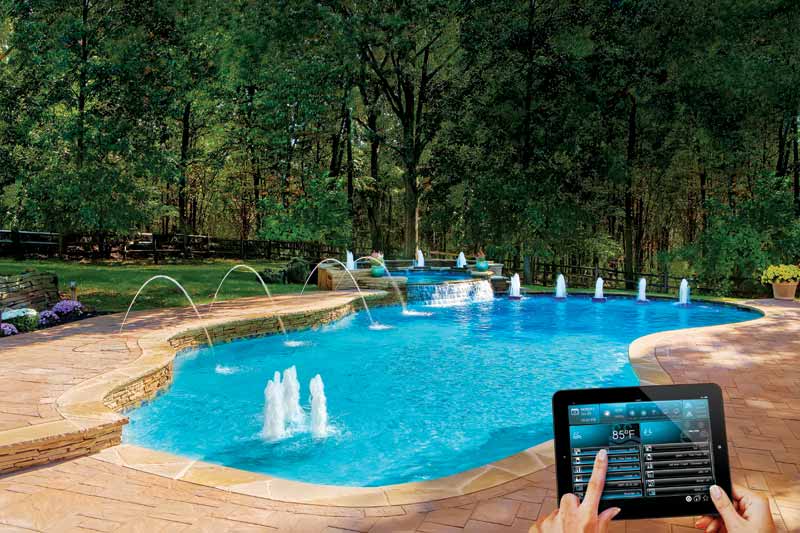
A DIY pool automation system built with a Raspberry Pi that lets you control your pool pump, heater, and lights remotely.
The 30-second version
-
What it is: A DIY pool automation system built with a Raspberry Pi that lets you control your pool pump, heater, and lights remotely.
-
What problem it solves: Eliminates the daily chore of manually walking outside to flip switches, prevents expensive equipment damage from unsafe conditions (like running a heater without water flow), and gives you visibility into what's happening with your pool from anywhere.
-
Who it's for: Pool owners who want smarter control without paying $2,000+ for commercial systems—especially those comfortable with basic DIY electronics (or willing to learn).
-
What you can do with it:
- Turn the pump on/off from your couch, your bed, or when not at home
- Set the heater to reach a target temperature and automatically stop
- Change pool light colors through an app or voice assistant
- Monitor water temperature trends over days or weeks
- Integrate with Home Assistant for endless automation possibilities!
-
Current status: Production-ready—actively running real pool equipment with safety watchdogs, web dashboard, and Home Assistant integration.
-
Code: Check it out on Github!
The problem (in human terms)
Pool ownership comes with a hidden daily tax: the equipment shuffle.
What's frustrating today?
- Walking outside multiple times a day to flip switches
- Manual timers that are inflexible and hard to program
- No visibility into water temperature without sticking your hand in
- Forgetting to turn off the pump and wasting electricity
- Accidentally running the heater when the pump is off (very dangerous—can destroy the heater)
- Your significant other wants to heat the pool, but you are not home!
What's expensive or error-prone?
- Commercial pool automation systems cost $2,000-$5,000+
- They lock you into proprietary apps and ecosystems
- Basic "smart plugs" don't understand pool safety requirements
- Equipment damage from operator error can cost hundreds to repair
What constraints matter?
- Pool equipment runs on high voltage—safety is critical
- You need reliability (the system runs 24/7 outdoors)
- You want local control even when internet is down
- Integration with existing smart home systems is a must
What it does
PiPool gives you remote control and intelligent automation for your pool equipment:
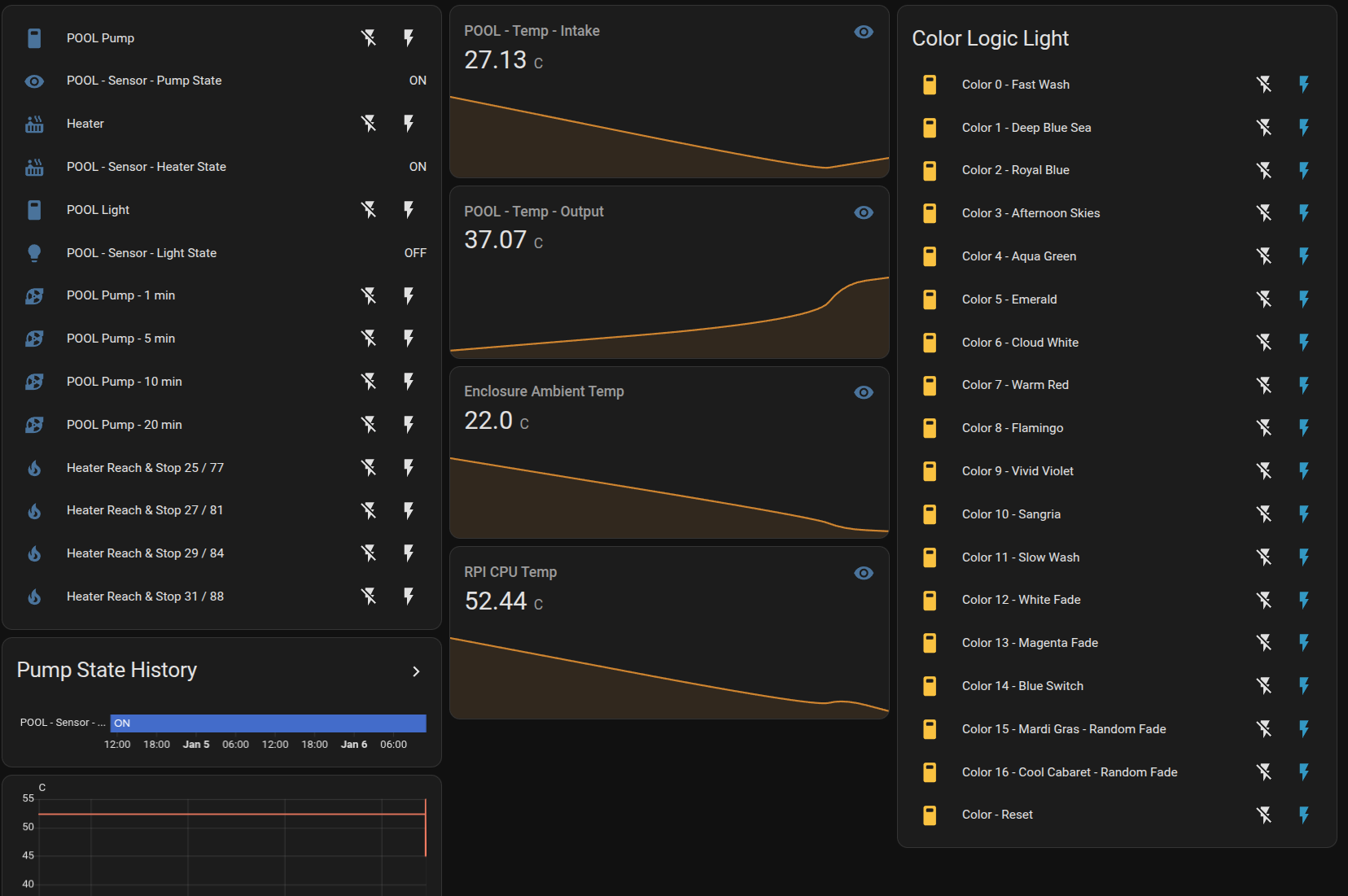
- Integrates with Home Assistant as a control dashboard accessible locally or remotely.
- Turns equipment on and off from anywhere—your phone, tablet, or computer
- Monitors water temperature continuously and shows trends over time
- Prevents dangerous conditions automatically (heater can't run without pump)
- Runs timed cycles—"Run the pump for 2 hours, then stop"
- Heats to a target—"Get the pool to 84°F and then shut off"
- Changes light colors with 17 preset colors and light shows
- Logs everything so you can see usage patterns and catch problems early
- Sends real-time updates so you always know the current state
- Runs locally without requiring cloud services or monthly fees
A quick example
Scenario 1: Weekend morning
- Situation: It's Saturday morning. You're having coffee inside. Friends are coming over at 2 PM to swim.
- Before PiPool: Walk outside, check the water temp (feels cold), turn on heater, set a timer to remember to check it, walk back out in an hour, check again, maybe turn off heater, definitely forget to turn off pump later.
- With PiPool: Open the app on your phone. See the water is 72°F. Tap "Heat to 82°F". Go back to your coffee. Get a notification when it's ready. The pump and heater manage themselves.
Scenario 2: Vacation worry
- Situation: You're on a week-long trip. Your pump needs to run periodically to filter or chlorinate the water.
- Before PiPool: Hope your neighbor remembers to check on things, or accept you'll deal with problems when you return.
- With PiPool: Use HomeAssistant automations to turn the pump on for 12 hours during off-peak time. Start at 19:00 and stop at 7:00 in the morning!
Scenario 3: Evening swim with ambiance
- Situation: You want to swim after dark with nice lighting.
- Before PiPool: Walk to the equipment pad. Flip the light switch. Walk back. If you want a different color, walk back again and toggle power repeatedly (seriously—that's how color-changing pool lights work).
- With PiPool: Tap "Emerald" from your phone. The light changes. Tap "Slow color wash" while floating in the pool.
What's new/different about it
Compared to doing nothing (manual control):
- You stop being the "human automation system"
- The pool heater literally cannot run in a dangerous state
- You have data about your pool you never had before
Compared to commercial systems ($2,000+):
- Costs under $100 in hardware (if you have a spare Raspberry Pi)
- No monthly fees or cloud subscriptions
- Works with any smart home system, not just one vendor
- You can customize and extend it however you want
Compared to basic smart plugs:
- Understands pool-specific safety rules
- Knows that heater + no pump = danger
- Provides coordinated control across multiple devices
- Logs data for insights over time
What this enables:
- "Heat the pool every Saturday at 6 AM"
- "Run the pump for 15 minutes when the filter pressure drops" (with additional sensors)
- "Tell Alexa to start the pool heater" (via Home Assistant)
- Actually knowing how long your pump runs each week
What it does NOT do (yet)
- No chemical monitoring—doesn't measure or adjust pH, chlorine, or other water chemistry (you still need test strips or a separate system)
- No automated chemical dosing—can't add chlorine or acid for you
- No solar heating integration—can't control solar panel valves (planned for future)
- No filter cleaning alerts—doesn't know when your filter needs backwashing
- Requires DIY hardware assembly—you need to build the relay enclosure and wire it (no plug-and-play kit)
- Requires intermediate Linux knowledge—installation involves command-line setup on a Raspberry Pi and ability to debug
Behind the scenes (condensed "how")
This section is for the curious—skip if you just want to know what it does.
- A Raspberry Pi (small $35 computer) acts as the control plane, running 24/7 near your pool equipment
- An 8-channel relay board (about $15) lets the Pi safely switch high-voltage/amperage pool equipment on and off
- Waterproof temperature sensors (about $5 each) measure water going into and out of your heater
- 110V or 220V high amp Contactor Pool pumps require lets say 110V 10A power feeds, you must use a contactor module switched on and off by the relay board.
- Waterproof enclosure you'll need a place to hold all the hardware!
- MQTT messaging (a lightweight IoT protocol) sends commands and status updates instantly between devices
- Safety watchdogs run every second to verify safe conditions—if the pump stops, the heater shuts off within 1 second
- A PostgreSQL database logs every temperature reading and event for later analysis
- A web dashboard (built with Streamlit) provides the point-and-click interface for easy local debugging and control
- Home Assistant integration uses MQTT and provides a remotely accessible dashboard. This is what I use in practice, locally or remotely.
- The whole system is open source—you can inspect, modify, or extend any part
Where this is headed
Future improvements planned (subject to change):
- Chemical monitoring—add pH and chlorine sensors with recommendations
- Solar heating control—manage solar panel valves for free heating
- Smart scheduling—adjust pump runtime based on weather forecasts
- Filter pressure monitoring—know when backwashing is needed
- Energy tracking—see exactly how much electricity your pool uses
- Voice control refinements—more natural Alexa/Google commands
- Plug-and-play kit—pre-assembled hardware option for non-DIYers
Credits / references
- License: Private project—not currently open for redistribution
- Built with: Python, Raspberry Pi, MQTT (Mosquitto broker), PostgreSQL, Streamlit
- Works with: Home Assistant, any MQTT-compatible system
- Hardware diagram: See docs/hardware/pipool-hardware-diagram.png
- Integration guide: See docs/HOMEASSISTANT.md for Home Assistant setup
Last updated: January 2026